Sell gift cards on your Clover POS and online.
Increase sales and bring in new customers by selling digital or physical gift cards, online or in person. Fully integrated with your Clover devices.

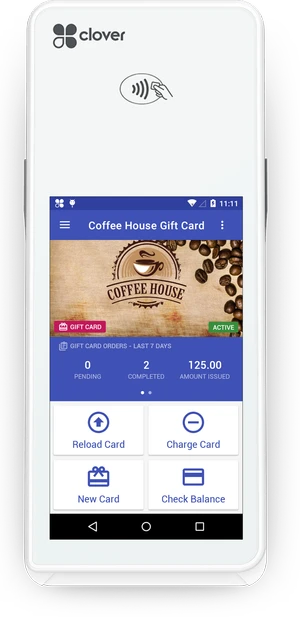

















Sell gift cards in-store
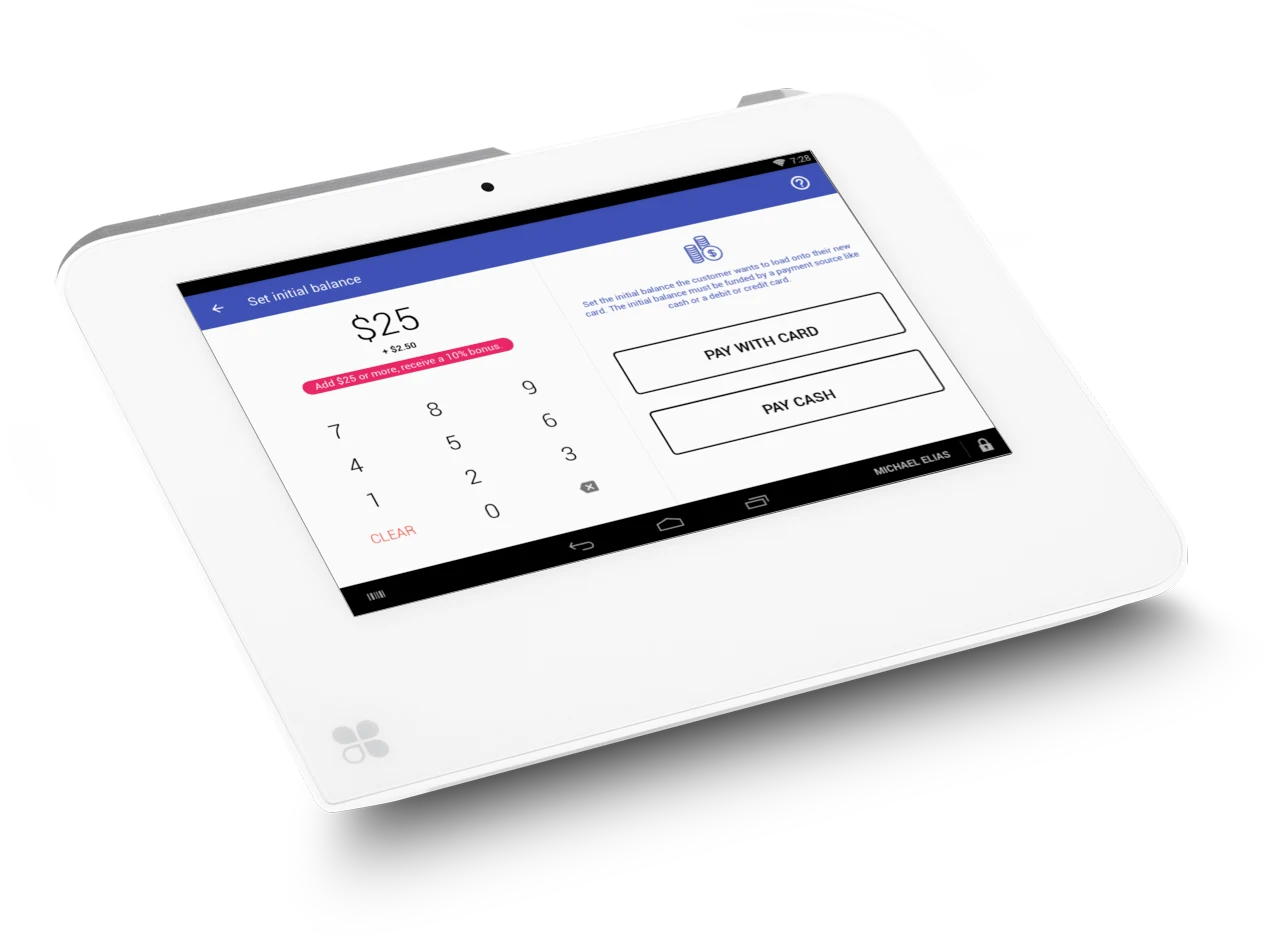
Sell gift cards from your Clover devices. Issue digital, physical or multiple physical cards from within our app. Accept credit card, cash or any other payment method supported by your Clover account.
Add gift cards to an existing order or pay right away for a gift card purchase. Fully integrated with your Clover devices.
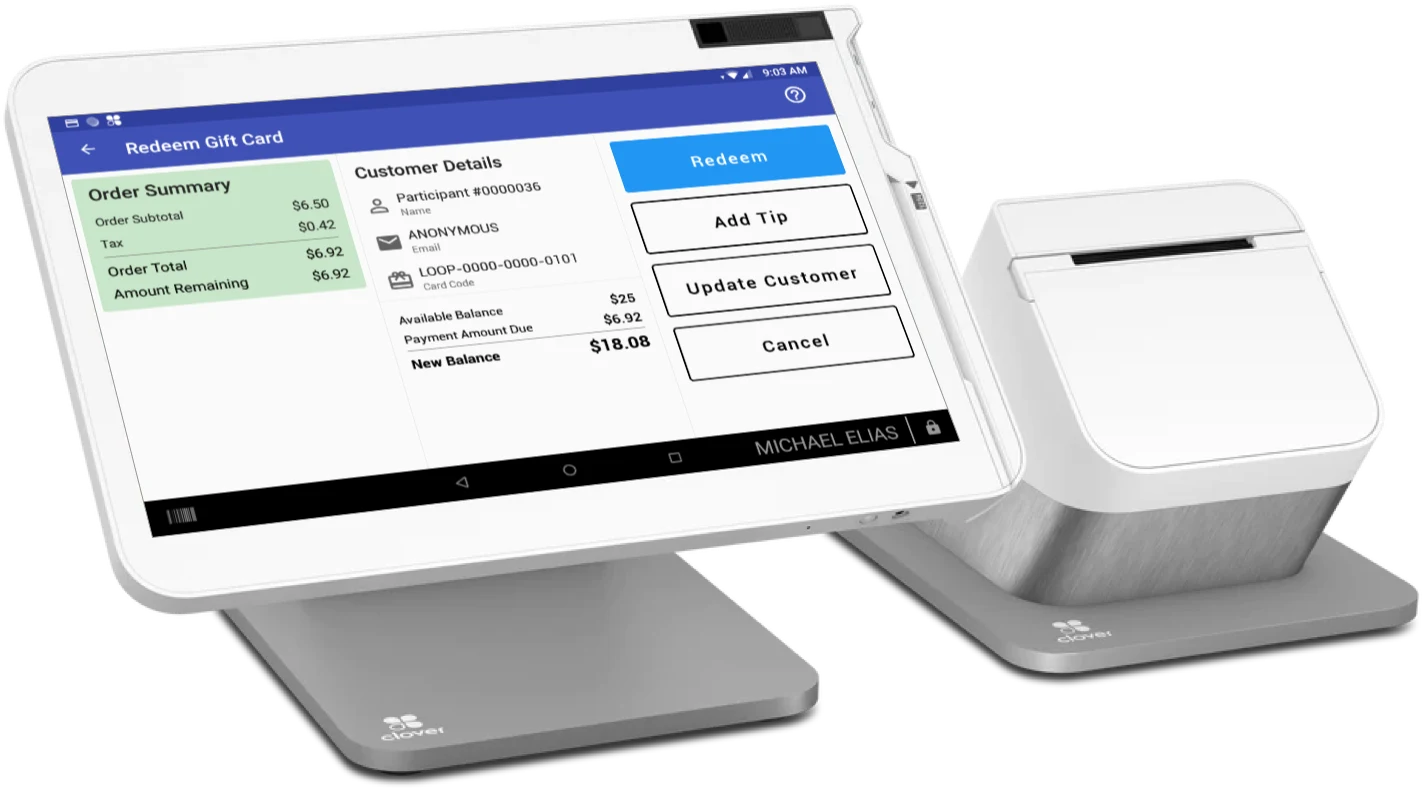
Redeem gift cards in-store
When it's time to pay, gift cards appear as a payment option in the Clover apps you already use. Apply the balance to the order, let the customer add a tip, and the new balance shows right on screen.
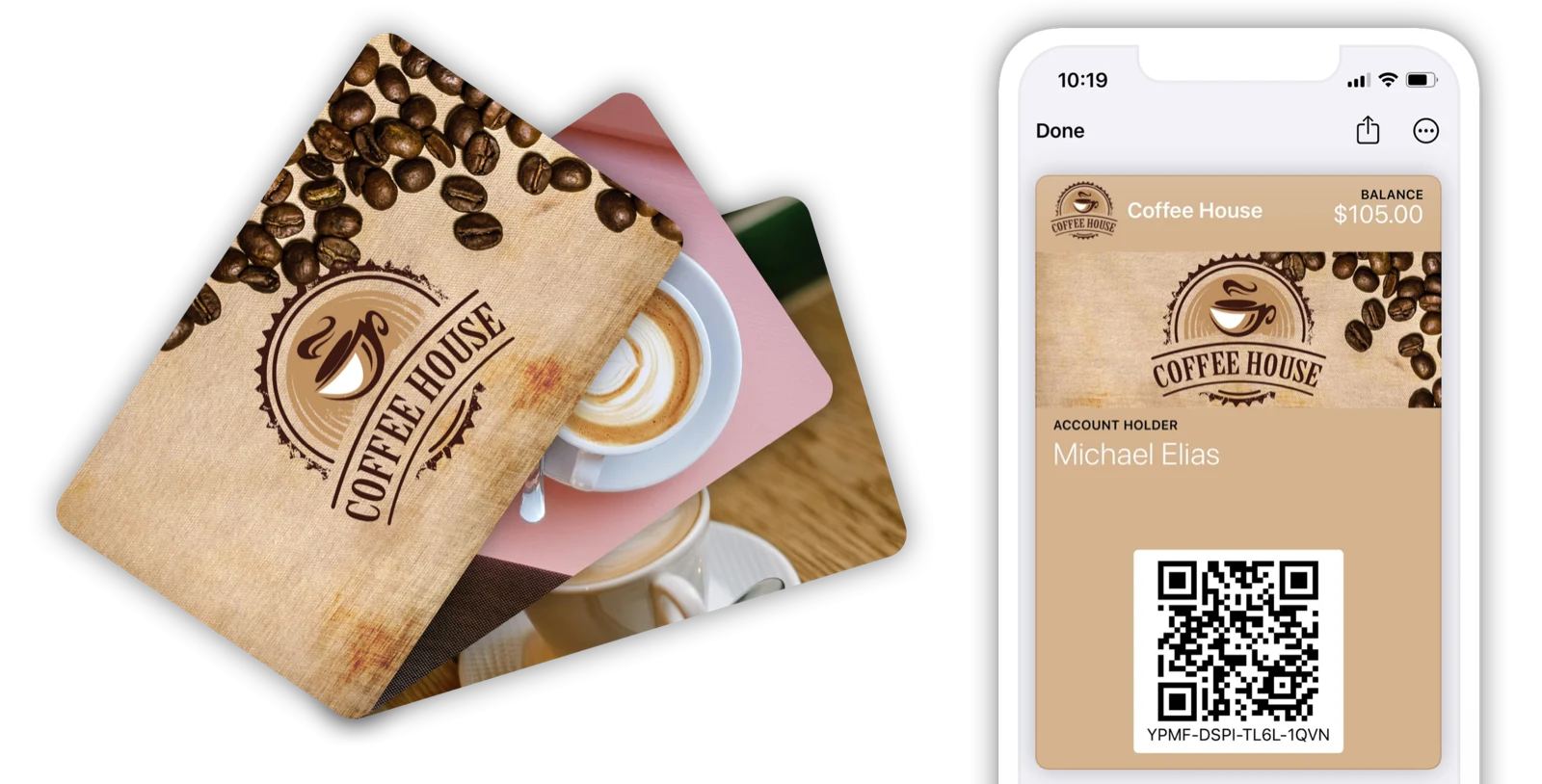
Digital and Physical gift cards
Issue both digital and physical cards, catering to all customer preferences.
Digital cards offer instant delivery, perfect for last-minute gifts or e-commerce.
Physical cards provide a tangible option for in-store purchases and gift-giving.
Omni-channel gift cards
Connect your other merchant accounts to the same gift card program. A card bought on Clover is redeemable on every platform you connect, and balances stay in sync.
Start selling gift cards on Clover in minutes
Four steps from the Clover App Market to your first card sold.
Everything you need to run a successful gift card program on Clover
Sell from your Clover devices
Issue digital, physical, or multiple physical cards from the Gift Cards app on Flex, Mini, and Station. Accept any payment method your Clover account supports.
Redeem in Register, Dining & Sale
Gift cards show up as a payment option in the Clover apps you already use. Scan the QR code or enter the card number, partial redemptions included.
Add to an existing order
Ring up gift cards with other items on the same order. Once it's paid, every card in the order activates automatically.
Issue store credit
Refund an order as a gift card, or activate and reload cards as a donation, with the store credit payment option. No cash leaves the till.
Add a tip
Let customers tip when paying with a gift card, up to the card's remaining balance. Track gift card tips with the Clover Shifts app.
Set employee permissions
Control which employees can issue store credit or cash out a card, right from the app on each Clover device. Everyone else needs a manager's PIN.
Print gift receipts
No plastic cards yet? Print a gift receipt with the balance, code, and QR code straight from your Clover device.
Run promotions
Add incentives, such as a 10% bonus on a $100 gift card, to encourage customers to buy higher value gift cards.
Customize the experience
Create card designs with your own branding, and style your checkout page and the emails sent to recipients and purchasers.
Order physical cards
Order custom-printed cards for any of your designs from the dashboard, then activate blank cards at the register.
Connect every Clover location
Link all your Clover merchant accounts to one program. Cards work across locations, and the settlement report tracks what each location owes.
Track performance
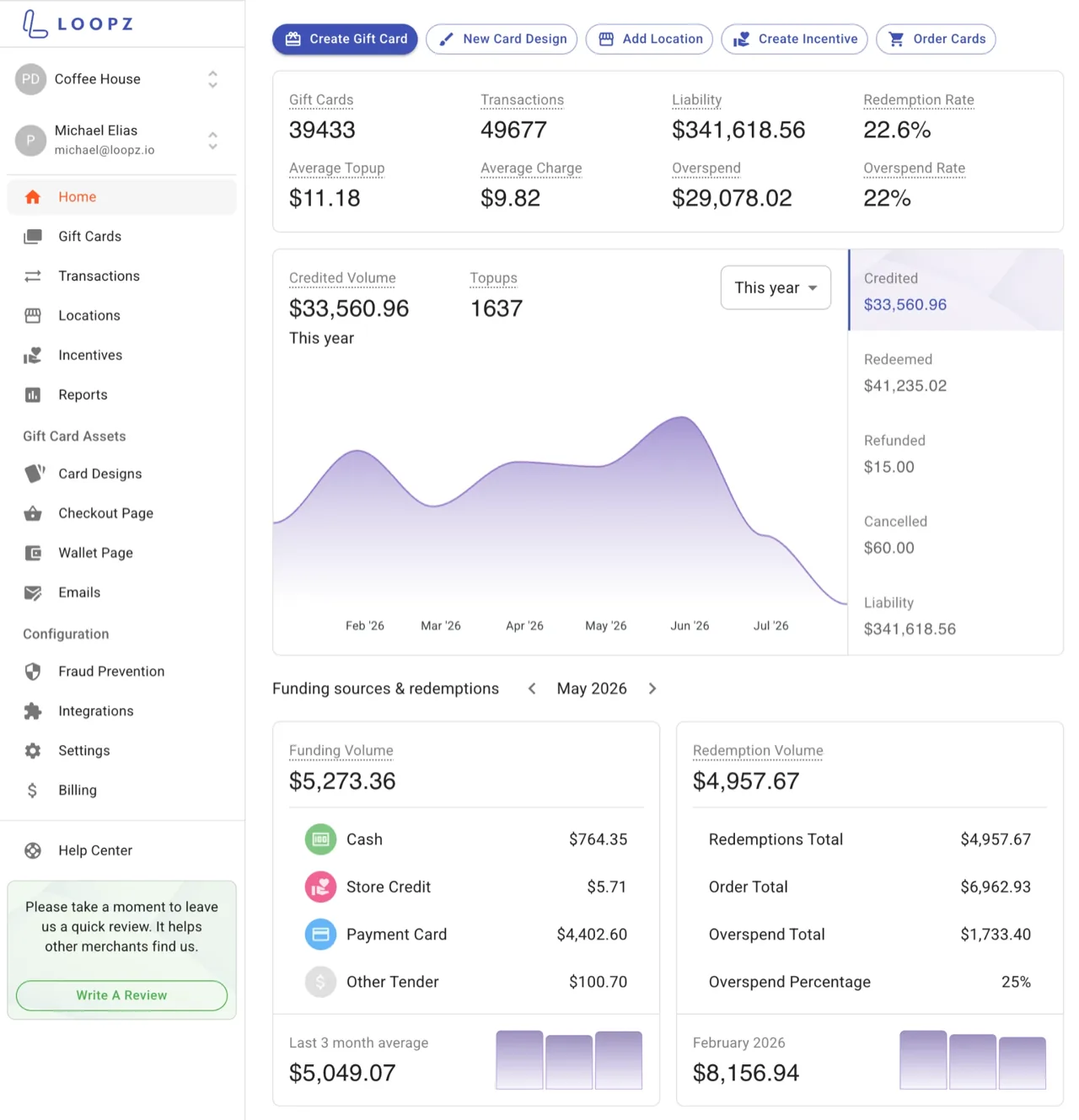
See sales, redemptions, and outstanding balances by location in the dashboard, and export every card and transaction.
What Clover merchants say
Loopz has been the single best addition to our business. This integration works seamlessly and quickly with our Clover Duos. The dashboard is extremely user friendly, customizable and quick. We will now be phasing it in to the rest of our locations.

It is about 1 million times better than the native Clover gift card app. Their cards allow customers to track card balance with a QR code, the design quality is very professional, and they have great customer service.

This app is much better than the Clover Gift Card app. The reporting and customer info portion is a great help. It is also cool that customers can add the gift card to their Apple Wallet. I had a few questions when setting up and they were quickly answered.

Simple pricing for Clover merchants
14 day free trial, billed through Clover. No contracts, cancel anytime.
Lite
Standard
Advanced
Pro
Standard
Advanced
Pro
The Lite plan is available to US merchants only.
Questions, answered
What Clover merchants ask before installing the app. Still stuck? Our team replies in hours, not days.
Talk to usHow do I install Loopz Gift Cards on my Clover devices?
Install the Loopz Gift Cards app from the Clover App Market and pick a plan. That starts your 14-day free trial, billed through Clover. Then sign in to the Loopz dashboard with your Clover account and your business details fill in automatically.
Which Clover devices and apps does Loopz work with?
The Gift Cards app runs on Clover Flex, Mini, and Station. Gift cards appear as a payment option in the Register, Dining, and Sale apps, listed under your gift card program's name.
How do customers pay with a gift card at the register?
Ring up the order, choose the gift card payment option, then scan the QR code on the card or the customer's phone, or type in the card number. Partial redemptions leave the rest on the card. On the Standard plan and up you can also look up a card by the customer's name or email.
Can I sell a gift card together with other items in the same order?
Yes. Choose Add to Order when setting the amount and the gift card becomes a line item on a new or existing order. Once the order is paid, the app activates every card in it automatically. Available on the Standard plan and up.
Can I refund an order as a gift card or issue store credit?
Yes. Enable the store credit payment option from the Gift Cards app, then use it to activate or reload a card for a refund or donation. Only employees you authorize can use it, Administrators and Managers by default, and permissions are set per device.
Do I need physical cards to get started?
No. Sell digital cards by email from day one, or print a gift receipt with the balance, code, and QR code straight from your Clover device. When you're ready, order custom-printed cards from the dashboard and activate blank cards at the register.
Can one gift card work at all of my Clover locations?
Yes. Add each Clover merchant account as a location in your dashboard and they share one gift card program. Cards sold at any location are redeemable at every other, and the settlement report tracks what locations owe each other.
Can customers add a tip when paying with a gift card?
Yes. Tap Add Tip on the redeem screen and the customer picks a tip, limited to the card's remaining balance. Gift card tips don't show in the Clover Tips app, so use the Clover Shifts app to see what is owed to each employee.
How is my subscription billed, and can I change plans?
Your Loopz subscription is billed through Clover alongside your other Clover apps. Change or cancel your plan at any time from the Clover App Market or the Billing section of your dashboard. There are no contracts.
Ready to launch gift cards on Clover?
One gift card program across your point of sale and online store, always in sync.