Guides
Redeem a gift card on your WooCommerce store
Once you've connected your WooCommerce store to your Loopz gift card program, customers will be able to redeem gift cards on your cart and checkout pages.
A new section to apply a gift card to an order is automatically added to your cart and checkout pages.
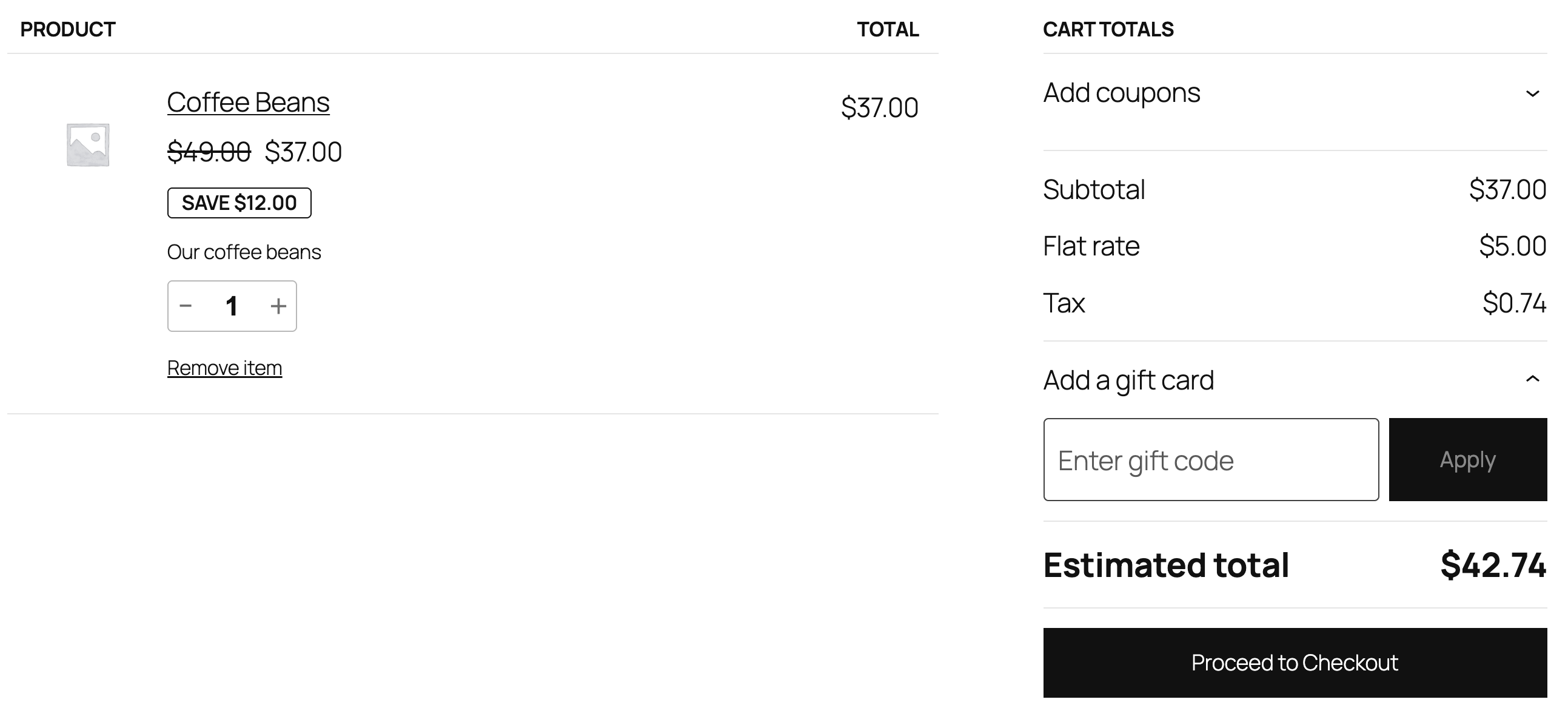
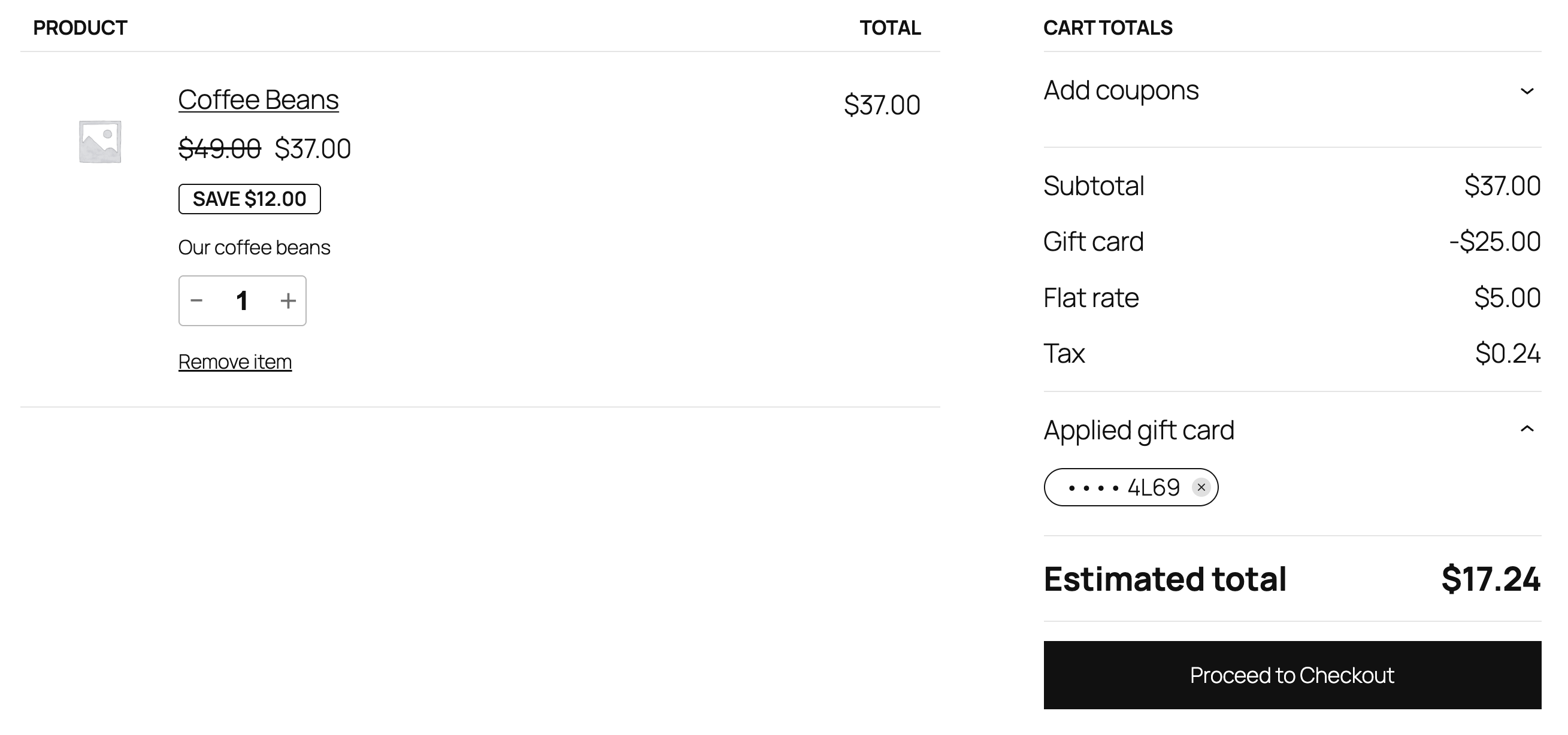
A gift card's code can be entered in this section and when "Apply" is clicked, the gift card's available balance is applied to the order. If the balance doesn't cover the full order total, the customer must pay the difference. After order placement, the balance is redeemed.
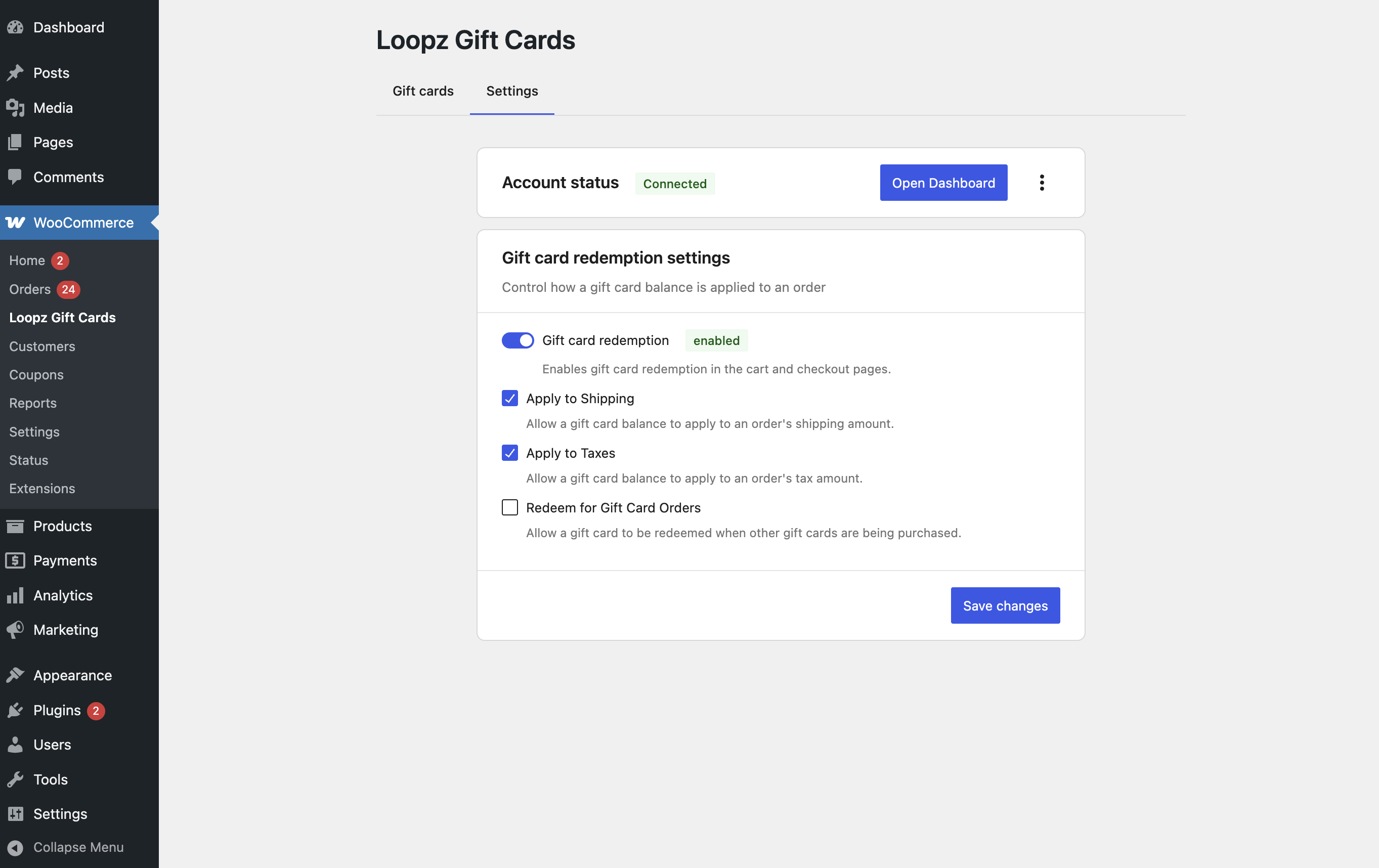
Gift Card Redemption Settings
Access settings through WooCommerce > Loopz Gift Cards in your WordPress admin:
- Gift card redemption: Enabled by default; can be disabled via toggle
- Apply to Shipping: Allow gift card balances to cover shipping costs
- Apply to Taxes: Allow gift card balances to cover tax costs
- Redeem for Gift Card Orders: Allow redemption when purchasing gift cards (disabled by default, not recommended)
Ready to sell more gift cards?
One gift card program across your point of sale and online store, always in sync.